

So, you want to make some tech house music in FL Studio? It’s a pretty popular style, and FL Studio is a solid choice for getting it done. Whether you’re just starting out or you’ve been messing around with music software for a bit, this guide is here to help you figure things out. We’ll go through setting up your FL Studio so it works for you, building those core beats and basslines that make tech house tick, and then adding in the melodies and effects that make it sound good. It’s not super complicated, just takes a bit of practice. Let’s get your tech house tutorial fl studio journey started.
Key Takeaways
- FL Studio is a good program for making tech house music, suitable for beginners and experienced people.
- Getting your FL Studio setup right makes making music easier and more enjoyable.
- A strong drum beat and a good bassline are important for a tech house track.
- Trying out different melodies and effects can give your music a unique feel.
- Mixing and mastering are the final steps to make your track sound polished and ready for people to hear.
Setting Up Your FL Studio Workspace
Getting your FL Studio workspace set up right from the start makes a huge difference in how smoothly you can create music. It’s all about making things easy to find and use when you’re in the zone.
Optimizing Your FL Studio Layout
When you first open FL Studio, it might look a bit chaotic. You’ve got the Channel Rack, the Playlist, and the Mixer all floating around. The key is to arrange these windows so they make sense for your workflow. Most people find it helpful to have the Channel Rack on one side, the Playlist in the middle, and the Mixer on the other. This way, you can easily switch between building patterns and arranging your song. You can resize and dock these windows to fit your screen. Don’t be afraid to play around with it until it feels right. You can always reset the window layout if you mess it up too badly using Ctrl+Shift+H.
Configuring Audio Settings for Smooth Workflow
This is super important for avoiding that annoying delay, called latency, between when you play a note and when you hear it. Go to Options > Audio settings. Here, you’ll select your audio device. If you have an external audio interface, make sure that’s selected. If not, choose your computer’s built-in audio. You’ll also see a buffer size slider. A smaller buffer size means less latency but can strain your CPU. A larger buffer size uses less CPU but increases latency. Finding that sweet spot is key. For tech house, you want it as low as possible without crackles or pops. Setting up your FL Studio on a Vagon Cloud Computer is straightforward and doesn’t require complex technical skills or installations.
Understanding Core FL Studio Components
Let’s break down the main parts you’ll be using all the time:
- Channel Rack: This is where you load your instruments and samples. Think of it as your collection of sounds. You build your drum patterns and melodies here using the step sequencer or the piano roll.
- Playlist: This is your song’s timeline. You drag patterns from the Channel Rack here to arrange your track, build sections, and structure your song.
- Mixer: This is where all the magic happens for sound quality. You control volume levels, pan sounds left or right, and add effects like reverb or EQ to make everything sound professional.
Getting familiar with these core components is the first step to making great tech house tracks. Don’t try to learn everything at once; focus on understanding how these three work together.
Building the Tech House Foundation: Drums and Bass

Alright, let’s get down to business. This is where the real groove starts to form in your tech house track. We’re talking about the backbone – the drums and the bass. Get these right, and you’re halfway to a track that makes people move. It’s not just about hitting notes; it’s about creating a rhythmic conversation that pulls the listener in.
Crafting a Solid Kick Drum Pattern
The kick drum is the heartbeat of tech house. It needs to be solid, consistent, and have just the right amount of punch. For a classic tech house feel, aim for a four-on-the-floor pattern – that’s a kick on every beat. But don’t just slap a generic kick in there. You need to choose a kick sound that has weight but also clarity. Think about layering a sub-bass kick with a punchier mid-range one. EQ is your friend here; you want to make sure it cuts through the mix without sounding muddy. Experiment with the decay of the kick too; a shorter decay can make the rhythm feel tighter and more driving. A good starting point is to make sure your kick drum hits hard on beats 1, 2, 3, and 4. This is the foundation of so many dance tracks, and for good reason. It provides that steady pulse that anchors everything else. You can then add subtle variations or ghost notes if you want to introduce a bit more complexity later on, but start with that solid four-on-the-floor.
Layering Percussion for Rhythmic Complexity
Once you’ve got your kick locked in, it’s time to add the flavor with percussion. This is where you build the intricate rhythmic patterns that define tech house. Think hi-hats, claps, snares, and various other percussive elements. For hi-hats, try a steady 8th or 16th note pattern, but vary the velocity to give it a more human feel. Open hi-hats on the off-beats can add a nice swing. Claps or snares usually hit on the 2 and 4, but you can experiment with placing them on different beats or using ghost notes to create syncopation. Don’t be afraid to use shakers, rides, or even found sounds to add texture. The key is to create a sense of movement and groove without making it too busy. Think about how each percussive element interacts with the kick. You want them to complement each other, not fight for space. A good way to approach this is to start with a simple hi-hat pattern and then gradually add other elements, listening carefully to how they fit together. You can find some great insights into drum programming by looking at how iconic patterns are built, which can really help you understand the nuances.
Syncing Basslines with Drum Grooves
Now for the bassline. This is what really makes the track move. Your bassline needs to lock in tightly with your kick drum. Often, the root note of your bassline will hit at the same time as the kick. This creates a powerful, unified low-end. For tech house, simple, repetitive basslines often work best. Think about using a classic synth bass sound – something with a bit of grit and a solid low-end presence. FL Studio’s built-in synths like Sytrus or Harmor can be great for this, or you might explore third-party VSTs. When programming the notes, pay attention to rhythm and note length. Short, punchy notes can create a driving feel, while longer notes can add a bit more sustain and warmth. Try to create a pattern that has a clear groove and complements the kick and percussion. Don’t be afraid to experiment with octave jumps or subtle rhythmic variations to keep it interesting. The goal is to create a bassline that is both hypnotic and groovy, something that the listener can really feel. It’s all about that interplay between the kick and the bass, creating a solid foundation for the rest of your track.
The magic in tech house often lies in the subtle interplay between the kick and the bass. It’s not always about complex melodies, but about creating a hypnotic groove that feels both powerful and understated. Getting this rhythmic foundation right is probably the most important step in making a track that truly works on the dancefloor.
Developing Melodies and Chord Progressions
Now that you’ve got a solid rhythmic foundation with your drums and bass, it’s time to inject some life into your tech house track with melodies and chord progressions. This is where you really start to shape the mood and character of your music. Think of it as painting the emotional landscape over your rhythmic canvas.
Selecting Synths and Virtual Instruments
First things first, you need sounds to work with. FL Studio comes packed with a ton of synths and virtual instruments, so don’t feel overwhelmed. For tech house, you’ll often find yourself reaching for clean, digital-sounding synths, but don’t be afraid to experiment. Maybe a sharp lead synth, a warm pad, or even a plucked sound could work. It’s all about finding what fits the vibe you’re going for. You can explore the built-in synths like Sytrus or Harmor, or check out third-party VSTs if you have them. Just load them up into your Channel Rack and get ready to make some noise.
Composing Catchy Melodic Motifs
Melodies in tech house are often quite repetitive and hypnotic, designed to loop and build energy. Start simple. Grab a synth sound and open up the Piano Roll. Try creating a short, repeating phrase – maybe just 2 to 4 notes. The key is to make it memorable and groovy. Think about rhythm as much as pitch. Varying the timing and velocity of your notes can make even a simple pattern feel alive. Don’t be afraid to use scales to keep things sounding musical; FL Studio has a handy ‘Snap to scale’ feature that can help you stay in key. You can find this by right-clicking the note icon in the toolbar.
Here are a few ideas for creating melodic motifs:
- Keep it short: Aim for phrases that are only a few beats long.
- Repetition is your friend: Loop your motif and subtly change it over time.
- Rhythmic variation: Play with note lengths and rests to create a unique feel.
Harmonizing with Effective Chord Progressions
Chords add depth and emotion, filling out the sonic space. While tech house isn’t always chord-heavy, a well-placed progression can really glue your track together. You don’t need complex jazz chords; simple triads or seventh chords often work best. Try using a minor or Dorian scale for that classic tech house feel. You can experiment by ear, or use FL Studio’s tools like the Chord Progression generator if you’re stuck. Layering different synth sounds for your chords can also add richness. Remember, the goal is to support the melody and bassline, not overpower them. A good starting point is to align your chord changes with the kick drum or other rhythmic elements to maintain that driving feel. You can get a good overview of house music structure at this guide.
When building your progressions, think about how the chords interact with your melody. Sometimes, a simple change in a chord can completely alter the mood of a phrase. Don’t be afraid to try different inversions or voicings to see what sounds best.
Enhancing Your Track with Essential Effects
Adding effects to your tech house track is like adding the final touches that make it pop. It’s where you can really start to shape the sound and give it that professional feel. Think of it as painting with sound – you’ve got your basic colors, and now you’re adding shading and highlights.
Applying Reverb and Delay for Depth
Reverb and delay are your go-to effects for creating a sense of space and making your sounds feel more alive. Reverb can make a synth sound like it’s in a huge hall or a small room, depending on how you set it. Delay, well, that’s your echo effect. It can add rhythmic interest or just a bit of a trailing tail to a sound. Don’t go crazy with these; a little bit can go a long way. Too much reverb can make your track sound muddy, and too much delay can make it messy.
- Reverb: Try different types like ‘Hall’, ‘Room’, or ‘Plate’. Adjust the ‘Decay’ time to control how long the reverb lasts and the ‘Wet/Dry’ mix to balance the effect with the original sound.
- Delay: Experiment with different delay times, often synced to your track’s tempo. Use ‘Feedback’ to control how many echoes you get and the ‘Wet/Dry’ mix.
Utilizing EQ and Compression for Sound Shaping
EQ (Equalization) and compression are the workhorses of mixing. EQ lets you adjust the volume of specific frequencies. This is super useful for making sure your kick drum doesn’t fight with your bass, or your hi-hats don’t clash with your synth. Compression, on the other hand, controls the dynamic range – the difference between the loudest and quietest parts of a sound. It can make a sound more consistent and punchy.
- EQ: Use it to cut out unwanted low frequencies (high-pass filter) or to make space for other instruments. For example, you might cut some low-mids from a synth to let the bassline through.
- Compression: Aim to even out the volume of a sound. A common setting is to have a medium attack time so the initial transient of a sound (like a snare hit) gets through before the compressor clamps down.
Remember, the goal with EQ and compression is to make everything sit nicely together in the mix, not to make individual sounds sound ‘better’ in solo. Listen to how things interact.
Creative Automation for Dynamic Movement
Automation is where you can really bring your track to life. It means changing parameters over time. Think about automating a filter sweep on a synth to build tension, or automating the volume of a percussion loop to create a stuttering effect. This adds movement and keeps the listener engaged. You can automate almost anything in FL Studio, from effect levels to synth cutoff frequencies. It’s a great way to add variation without adding too many new elements. You can find out more about making beats in this tech house music guide.
- Automate filter cutoff frequencies on synths for build-ups.
- Use volume automation on percussion to create rhythmic variations.
- Automate reverb or delay send levels to make certain sounds pop out more at specific moments.
Mastering Your Tech House Mix
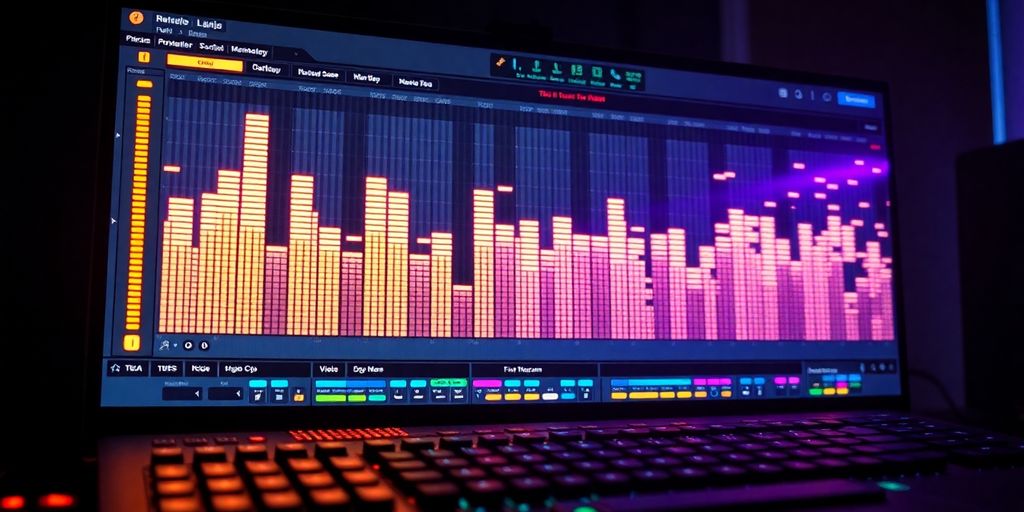
Alright, so you’ve got your drums banging, your basslines grooving, and your melodies singing. Now it’s time to make it all sound professional. This is where mixing comes in, and honestly, it’s a big part of what makes a track hit hard on the dance floor. It’s not just about making things loud; it’s about making everything clear and punchy.
Balancing Levels and Frequencies
First up, let’s talk about getting your levels right. You want each element to have its own space. Think of it like a conversation – everyone needs a turn to speak without shouting over each other. Start by setting your kick drum and bassline. These are usually the backbone of a tech house track. Get them sitting nicely together, then bring in your percussion and synths. Use your ears, but also keep an eye on the mixer meters. You don’t want anything clipping (hitting red). EQ is your best friend here. You’ll use it to cut out frequencies that clash between instruments. For example, you might cut some low-mids from a synth to make room for the bass. Compression is also key for controlling dynamics, making sure your sounds have a consistent energy.
Here’s a quick rundown:
- Kick Drum: Make it punchy. Use EQ to boost the click around 2-5kHz and maybe the body around 60-100Hz. Cut mud in the low-mids (200-400Hz).
- Bassline: Ensure it’s felt. Boost the fundamental frequency and maybe add some harmonics in the mids to help it cut through on smaller speakers. Sidechain compression from the kick is almost a must.
- Percussion: Layering is great, but make sure each layer has a purpose. Use EQ to give hats some air, snares some crack, and toms some body.
- Synths/Leads: These need to sit well with the bass and drums. Use EQ to carve out space and compression to keep their volume steady.
Don’t be afraid to solo tracks to hear them clearly, but always check how they sound in the full mix. What sounds good alone might not work with everything else.
Finalizing the Mix with Creative Effects
Once the basic levels and EQ are sorted, you can start adding some flavor with effects. Reverb and delay are great for adding space and depth. A little bit of reverb on a synth can make it sound like it’s in a big room, while a rhythmic delay can add a cool groove to a percussion loop. But be careful – too much of either can make your mix sound muddy and distant. Automation is where you can really make your track come alive. Think about automating filter sweeps on synths for build-ups, or automating the volume of certain elements to create dynamic shifts. This keeps the listener engaged and adds that human touch. You can find some great tips on making beats that really drive the energy on FL Studio resources.
Preparing Your Track for Different Platforms
Finally, before you call it a day, you need to think about how your track will sound everywhere else. This is the mastering stage. It’s not about changing the mix itself, but about making it loud, clear, and consistent across different playback systems. You’ll typically use a limiter on your master output to catch peaks and bring up the overall loudness. It’s a good idea to compare your track to professionally mastered tracks in a similar genre. Listen on different speakers – your studio monitors, headphones, even your laptop speakers. This helps you catch any problems that might not be obvious in your studio. Mastering is the final polish that makes your track ready for the world.
Advanced Techniques and Workflow Tips
So, you’ve got the basics down and your tech house tracks are starting to take shape. Now it’s time to really refine your process and add those extra touches that make a track pop. It’s not just about making sounds; it’s about making them work together efficiently and creatively.
Routing Instrument Channels to Mixer Tracks
Getting your instruments onto the mixer is super important for controlling your sound. FL Studio makes this pretty straightforward. You can link channels individually or in groups. A good habit is to route each instrument or group of similar instruments to its own mixer track. This gives you maximum control over levels, EQ, and effects for each part of your song. It’s like giving each instrument its own dedicated space to shine.
Here’s a quick way to do it:
- Click the Channel Selector LED for the channel(s) you want to route. Right-clicking lets you select multiple channels at once.
- Then, right-click on the mixer track you want to send them to and choose ‘Link selected channels > to this track’. You can also use ‘Link selected channels > starting from this track’ if you want to assign several channels to consecutive mixer tracks.
Leveraging FL Studio Resources and Communities
Don’t forget that FL Studio has a ton of built-in help and a huge community. The manual is always there, and there are tons of videos out there. Seriously, checking out the official FL Studio website or even just searching YouTube can give you new ideas or help you solve problems you run into. You can find new ways to use effects or even learn about different arrangement techniques. It’s a good idea to explore the FL Studio resources to see what’s available.
Consistent Practice for Skill Development
Making music is a skill, and like any skill, it gets better with practice. Don’t get discouraged if your first few tracks aren’t exactly what you imagined. Keep experimenting with different sounds, rhythms, and effects. Try to finish tracks, even if they’re not perfect. The more you do it, the more natural the whole process will become. You’ll start to develop your own workflow and find what works best for you. Remember, everyone starts somewhere, and consistent effort is key to improving your tech house productions.
Wrapping Up Your Tech House Journey
So, we’ve walked through setting up FL Studio, building those essential beats and basslines, and even adding those melodic hooks that make tech house so infectious. Remember, the real magic happens when you start mixing and mastering, making sure your track sounds good everywhere. Don’t get discouraged if your first few attempts aren’t perfect; that’s totally normal. The most important thing is to keep practicing, keep experimenting with different sounds and effects, and most importantly, have fun with the process. Your next track could be the one that really gets people moving.
Frequently Asked Questions
What exactly is FL Studio and why do people like it for house music?
FL Studio is a computer program that helps you make music. It’s super popular for making house music because it’s pretty easy to learn and use, even if you’re just starting out.
How do I begin making music in FL Studio?
To start making beats, you’ll want to set up your FL Studio screen so you can see everything you need. Then, get familiar with the main parts like the Channel Rack (where you put sounds) and the Playlist (where you arrange your song). It’s all about getting comfortable with the tools.
What are some good tips for creating a solid drum beat?
A good drum beat is built on a strong kick drum. Try layering different drum sounds, like snares and hi-hats, to make your beat more interesting and give it a cool rhythm. Don’t be afraid to mix and match sounds!
How can I make my bassline fit well with my drums?
To make sure your bassline sounds great with your drums, try matching the rhythm of your bass notes to the kick drum. This makes the whole beat feel tighter and more connected. Listen carefully to make sure they sound good together.
What effects should I use to make my track sound better?
You can make your track sound more exciting by using effects. Try reverb and delay to give sounds more space and depth. EQ and compression help make sure all the different sounds fit together nicely. Playing with automation can also add cool movement to your music.
What’s important to remember when mixing and mastering a track?
When you’re mixing, make sure all the sounds are at the right volume and don’t clash. After that, mastering is like the final polish. It makes sure your track sounds good on any speaker, from headphones to a big club sound system.